See your work pass details by either:
- Viewing your digital work pass directly on SGWorkPass after setting it up.
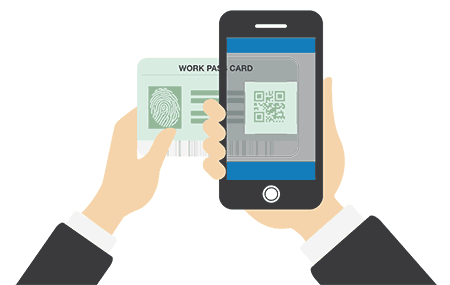
- Using the app to scan the QR code on your work pass card.
Your digital work pass can be used to verify your work pass validity.
Alternatively, you can use the SGWorkPass to scan the QR code on your pass to see the validity period.
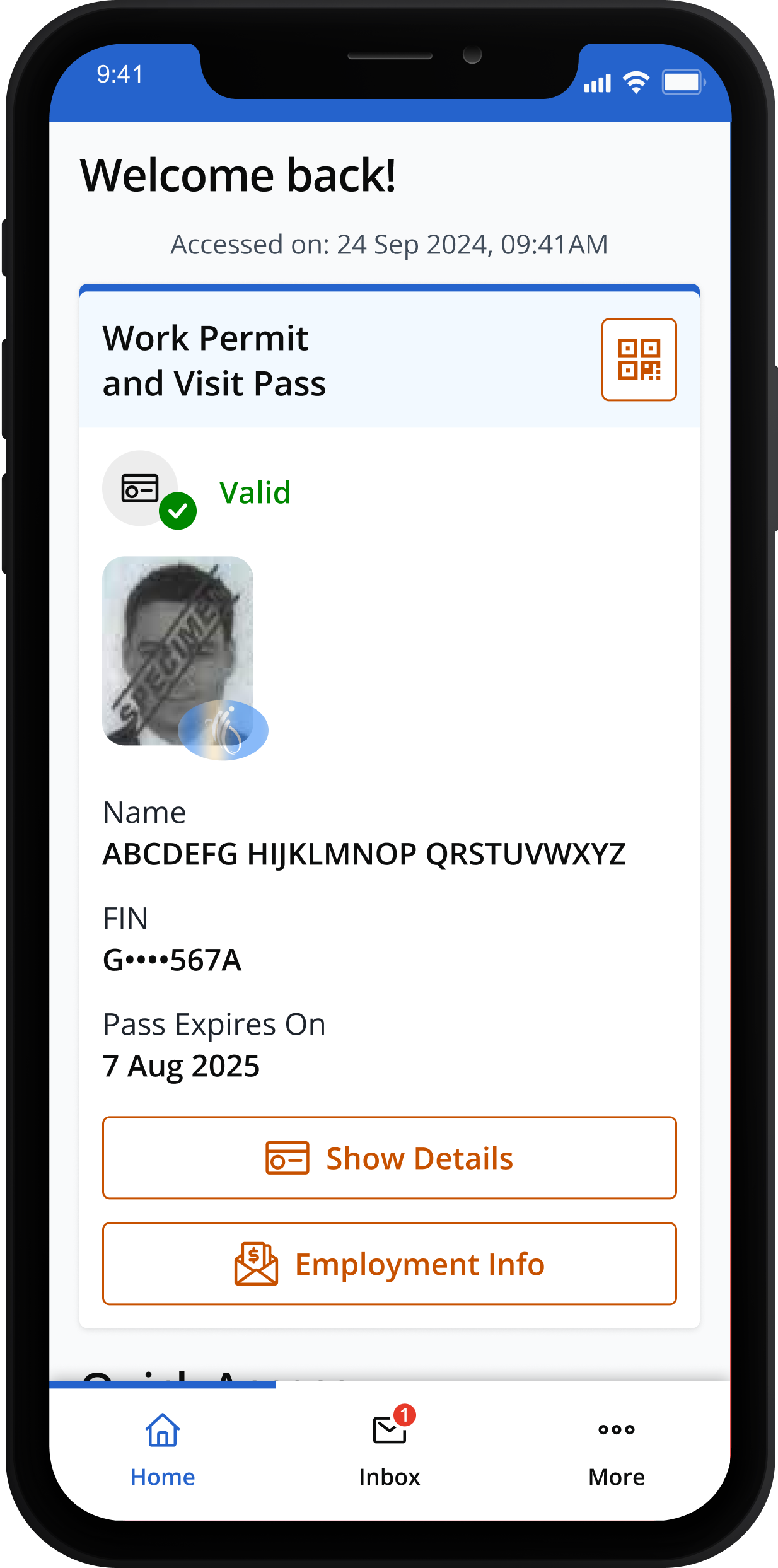
For Work Permit holders, including helpers, you can check your monthly salary information:
1. Tap "Employment Info".
1. Tap "Employment Info".
2. Verify yourself using your device, e.g. password, PIN, fingerprint or Face ID
2. Verify yourself using your device, e.g. password, PIN, fingerprint or Face ID

3. View your salary information.
3. View your salary information
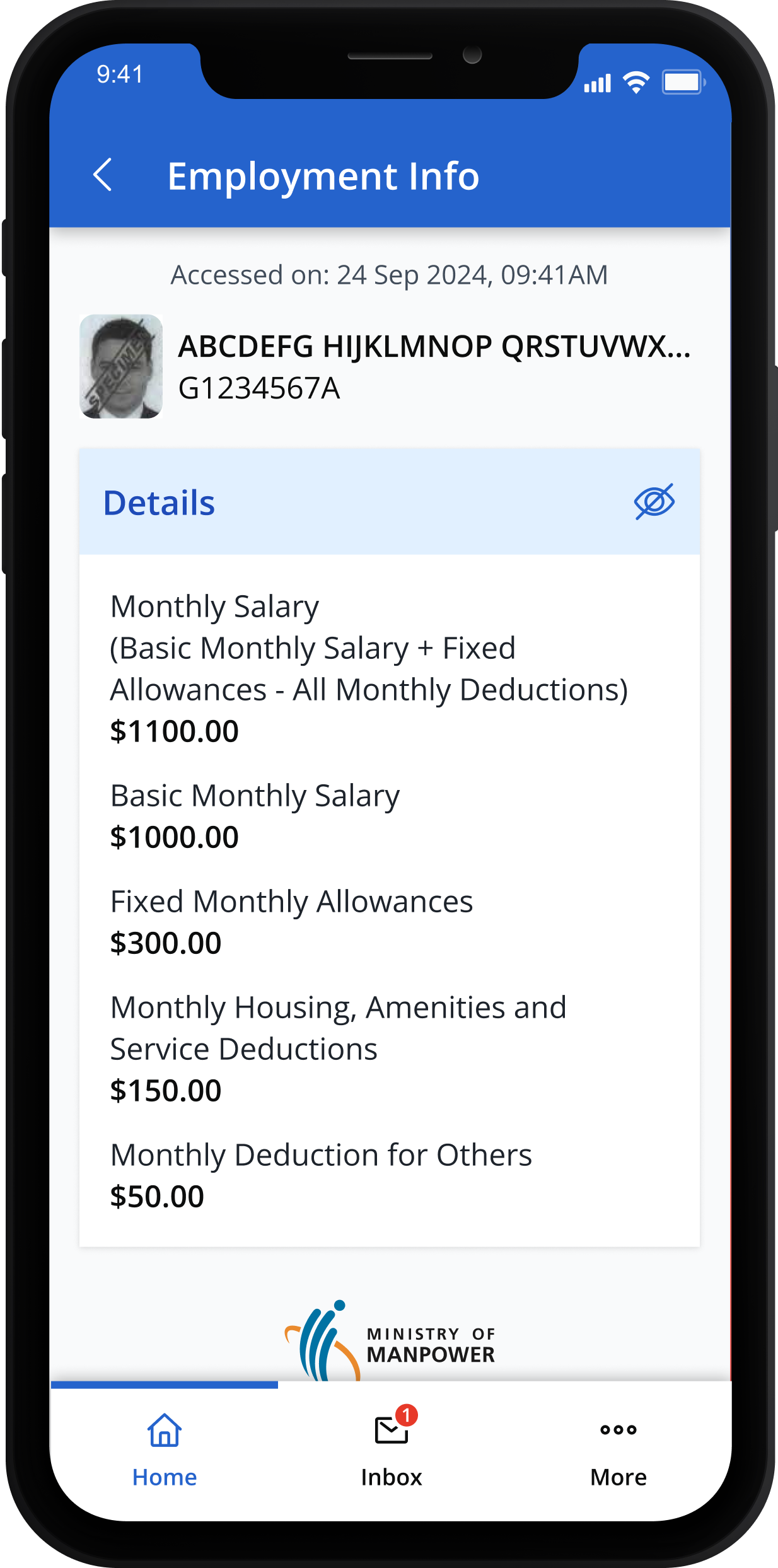
Any updates to salary will be reflected in the app 1 working day after your employer has notified us.
[For helpers only] You can check your employment information, including your salary:
1. Tap "Employment Info".
1. Tap "Employment Info".

2. Verify yourself using your device, e.g. password, PIN, fingerprint or Face ID
2. Verify yourself using your device, e.g. password, PIN, fingerprint or Face ID

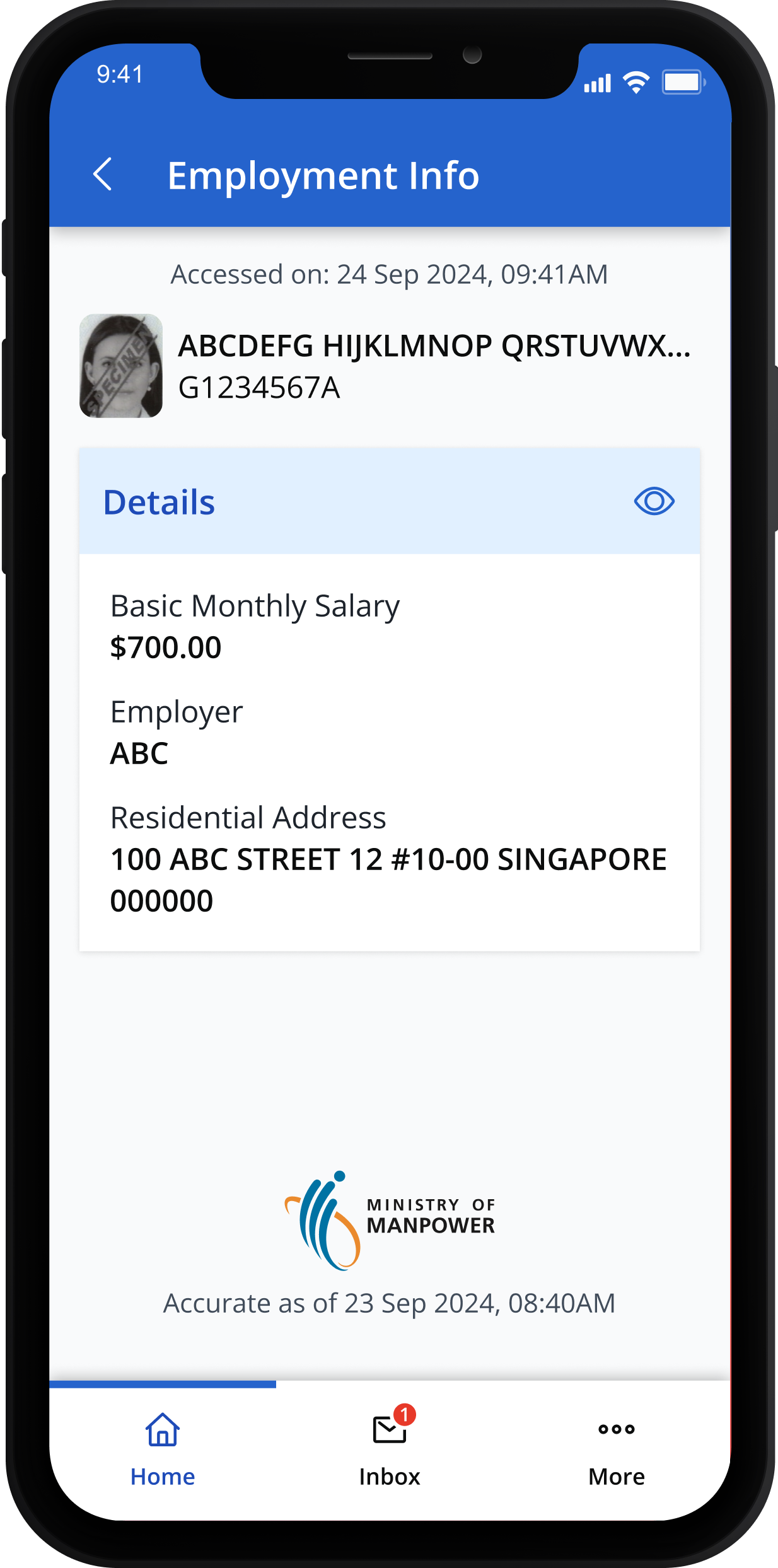
3. View your salary information and employer's details.
3. View your salary information and employer's details.
For Work Permit holders (excluding domestic helpers), you can view your core skill certifications:
1. Tap "Training Records".
1. Tap "Training Records".

2. Verify yourself using your device, e.g. password, PIN, fingerprint or Face ID
2. Verify yourself using your device, e.g.: password, PIN, fingerprint or Face ID
3. Active and newly awarded certificates will be displayed first.
Certificate are being added in phases, starting with Workplace Safety and Health (WSH) courses recognised under MOM. More may be added in future updates.
3. Active and newly awarded certificates will be displayed first.
Certificate are being added in phases, starting with Workplace Safety and Health (WSH) courses recognised under MOM. More may be added in future updates

For more information, please refer to our FAQ.
For Work Permit holders, you can view your employment history (from 2017 onwards):
1. Tap "Employment Records".
1. Tap "Employment Records".

2. Verify yourself using your device, e.g. password, PIN, fingerprint or Face ID
2. Verify yourself using your device, e.g. password, PIN, fingerprint or Face ID
3. Employment records from Jan 2017 will be displayed, starting with the most recent record.
3. Employment records from Jan 2017 will be displayed, starting with the most recent record.

[For helpers only] You can check your employment history (from 2017 onwards):
1. Tap "Employment Records".
1. Tap "Employment Records".

2. Verify yourself using your device, e.g. password, PIN, fingerprint or Face ID
2. Verify yourself using your device, e.g. password, PIN, fingerprint or Face ID
3. Employment records from Jan 2017 will be displayed, starting with the most recent record.
3. Employment records from Jan 2017 will be displayed, starting with the most recent record.

Receive personalised notifications from MOM and other government agencies that are unique and relevant to you.
All messages are sorted in your SGWorkPass inbox for easy access.
1. Tap on "Inbox" to view your notifications.
1. Tap on "Inbox" to view your notifications.
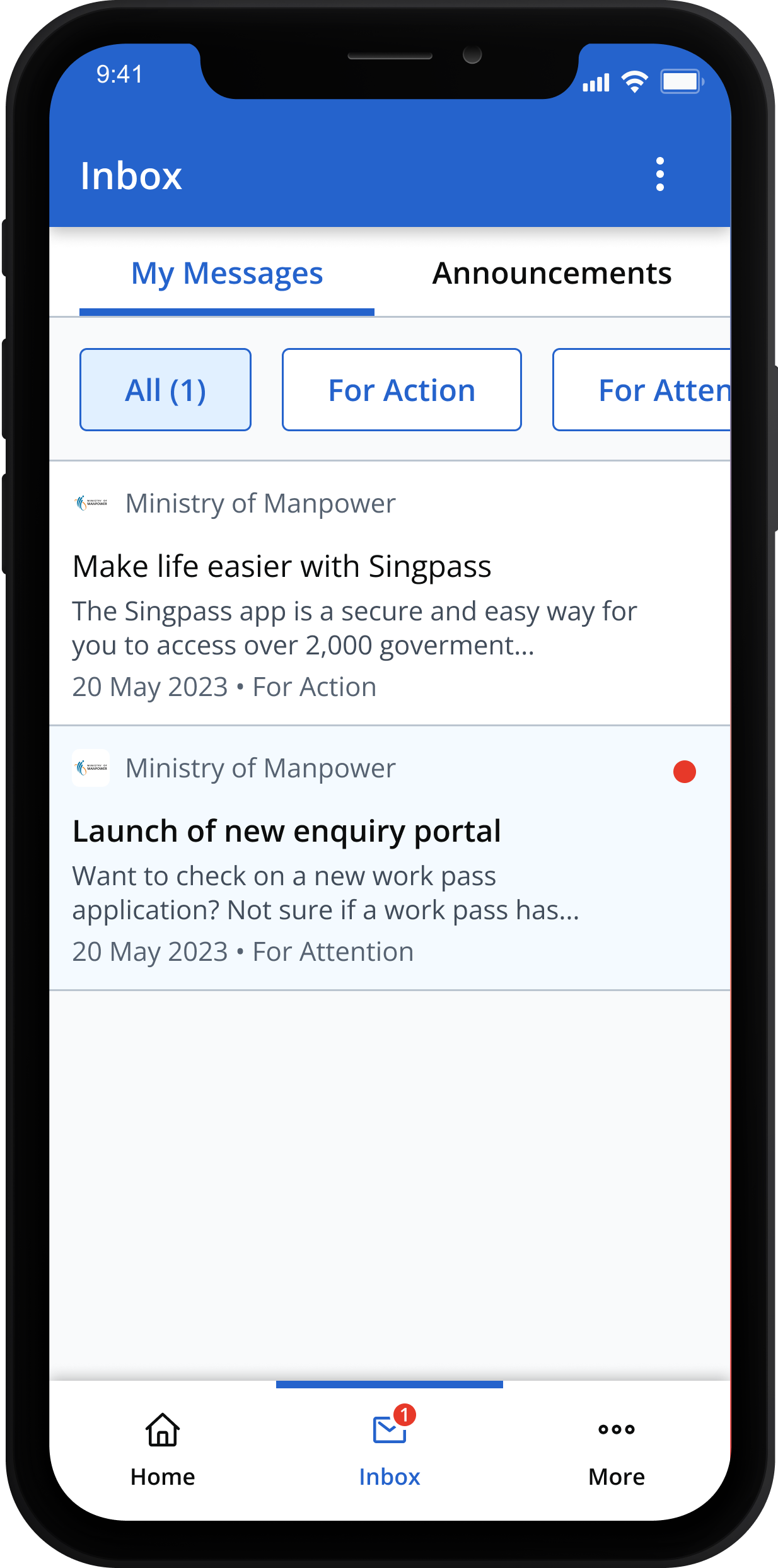
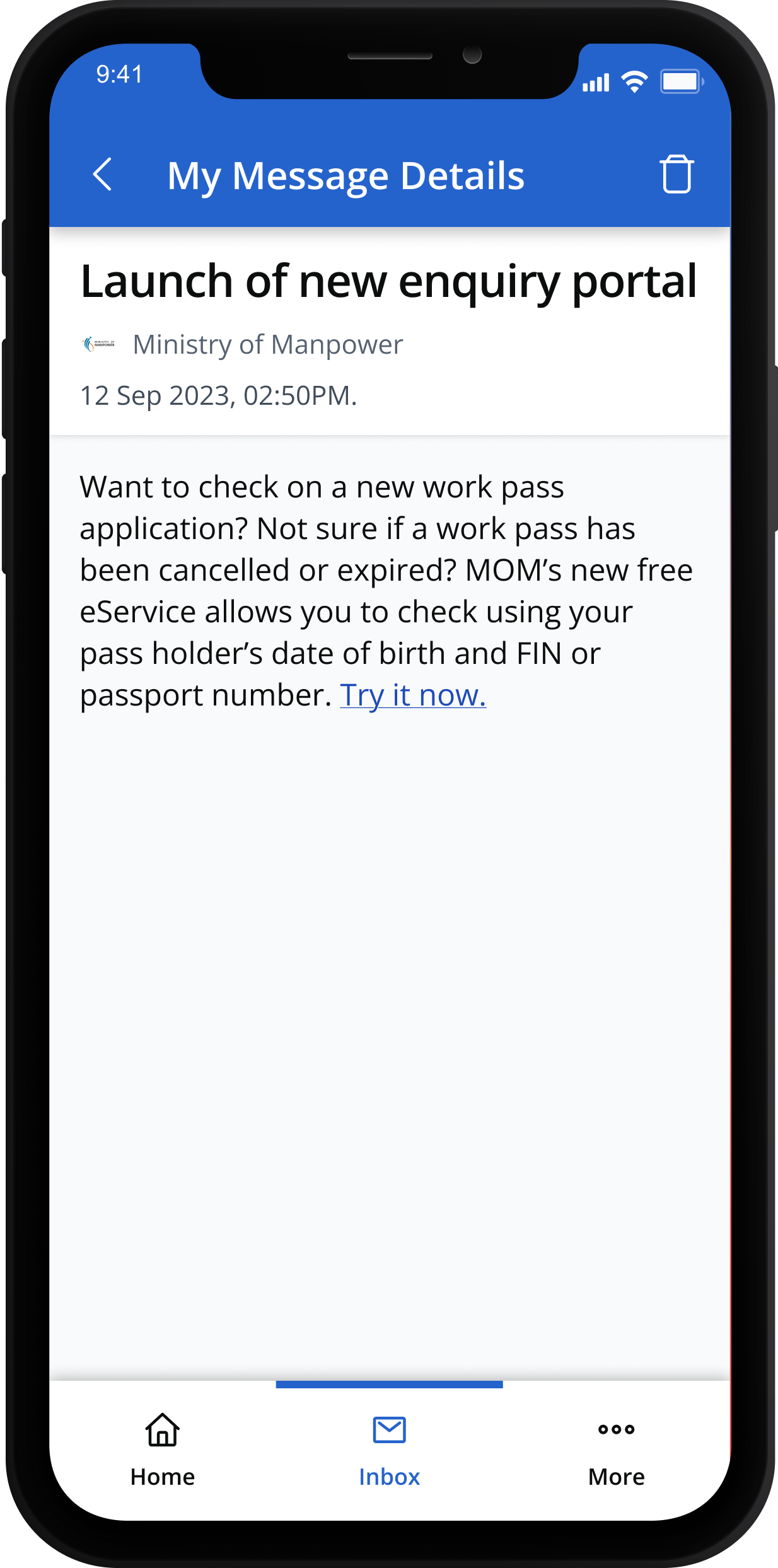
2. Tap on each notification to read the full message.
2. Tap on each notification to read the full message.
SGWorkPass is available in the following languages:
- Bahasa Indonesia
- Bahasa Melayu
- Bengali
- Burmese
- English
- Mandarin
- Tagalog
- Tamil
- Thai
- Vietnamese
You can switch to your preferred language anytime.
1. Tap on "Emergency" or "Get Help".
1. Tap on "Emergency" or "Get Help".

3. Click on a number to instantly call the hotline.
3. Click on a number to instantly call the hotline.

[For helpers only]
To access a range of information on your employment rights and obligations, open the Quick Access menu in SGWorkPass and tap on “Resources”.